
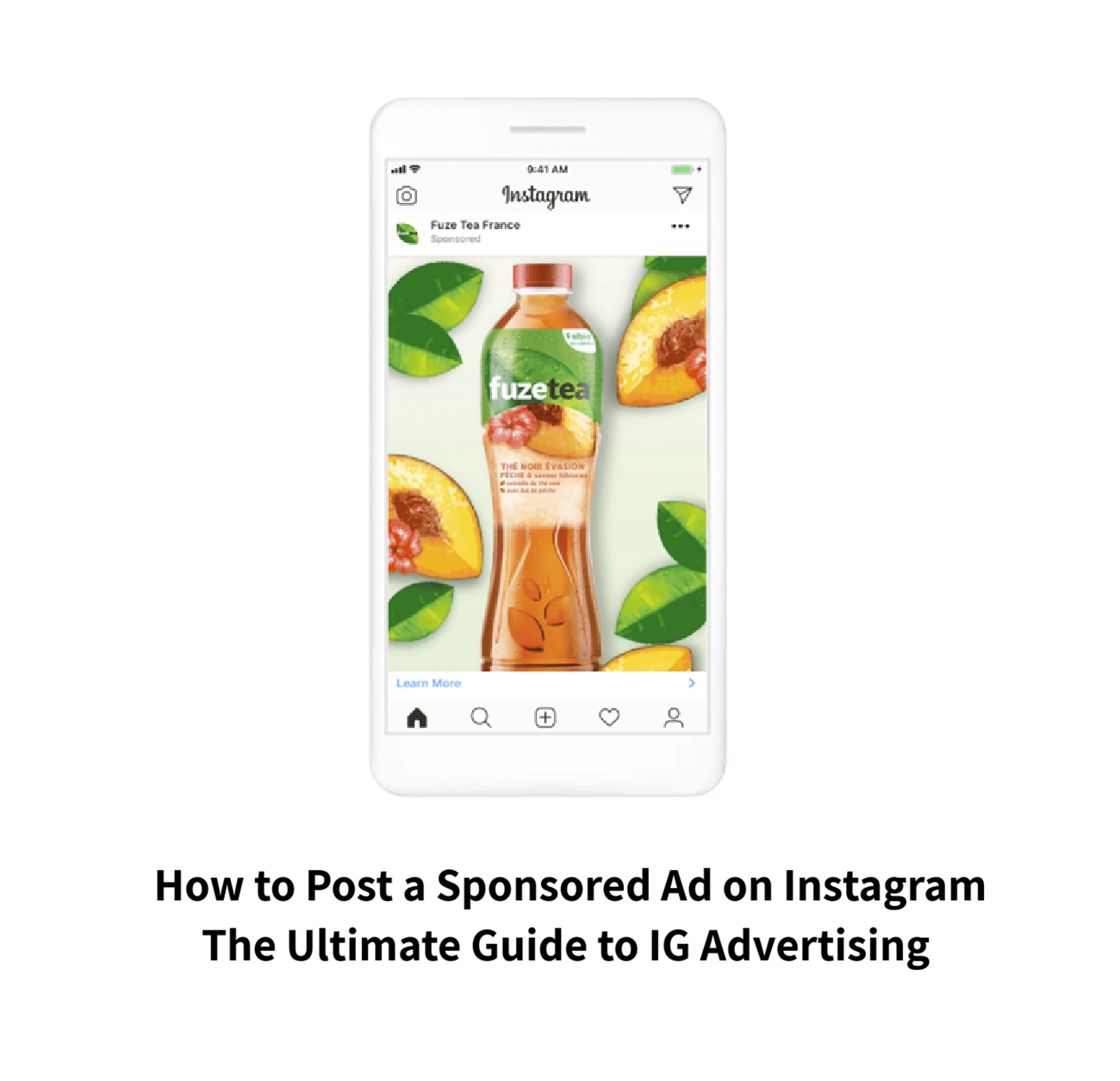
Somewhere between scrolling your Feed and seeing a “Sponsored” tag pop up, a business made a decision, set a budget, and told Meta’s algorithm exactly who to show that post to. Turning your own posts into that kind of targeted, trackable ad isn’t complicated once you understand the mechanics but most guides either oversimplify it into “just hit Boost” or bury the actual steps under jargon.
What is an Instagram Sponsored Post?
This guide covers what a sponsored post actually is, what it costs in 2026, exactly how to set one up from start to finish, whether they’re genuinely worth the money, and the questions people search for most when something about a sponsored ad confuses them.
What Are Sponsored Ads on Instagram and How Do They Work?
A sponsored ad on Instagram is any post image, video, carousel, Reel, or Story that a business has paid to have shown to a targeted audience beyond its own followers. Mechanically, sponsored ads run through Meta’s advertising auction: an advertiser sets a budget, an objective (awareness, traffic, leads, sales), and an audience, and Meta’s system then competes in real time against other advertisers for the chance to show that ad to a given person, based on bid amount, predicted engagement, and ad quality. Every sponsored post carries a visible “Sponsored” label, which is legally required disclosure distinguishing paid content from organic posts.
What Does It Mean When an Instagram Post is Sponsored?
For the viewer, a sponsored label simply means a business paid to put that specific post in front of them; it wasn’t shown because they followed the account or because a friend engaged with it. For the advertiser, “sponsored” specifically refers to paid distribution through Meta’s ad system, as opposed to organic reach (posts that only followers or their networks naturally see). It’s worth distinguishing this from “getting sponsored,” which refers to something entirely different: a brand paying an individual creator to promote a product, which is influencer marketing rather than a business running its own ad campaign. (More on that distinction later in this guide.)
Instagram Sponsored Posts Examples (What Successful Ads Look Like)
The strongest-performing sponsored posts in 2026 tend to share a few traits regardless of industry. Short-form video (Reels-format sponsored ads) consistently outperforms static images, particularly when the first two to three seconds include movement, a bold visual, or a clear hook before any branding appears. Carousel-format sponsored posts tend to perform well for service-based businesses that need to explain a process or showcase multiple products in one ad. Creator-style, UGC-looking sponsored content footage that looks like it was shot on a phone rather than professionally produced often outperforms polished studio ads, since it blends more naturally into a Feed full of organic content. Flash-sale and limited-time-offer sponsored posts also perform consistently well, especially in Stories, where the format’s built-in urgency reinforces the offer’s time pressure.
How Much Do Sponsored Posts on Instagram Cost?
Meta ad budgets can be set either as a daily budget (a target amount to spend roughly each day, which Meta may flex slightly above or below to optimize delivery) or a lifetime budget (a total amount spread across a defined campaign duration, with Meta pacing spend automatically).
Instagram Advertising Cost: Cost Per Day vs. Cost Per Month
For most new advertisers, starting with a modest daily budget often in the $5–$20/day range for smaller businesses is the more common approach, since it’s easier to monitor and adjust than committing to a lifetime total upfront. As a rough monthly reference point, a business running a modest, consistent campaign might spend anywhere from roughly $150 to $600+ per month, though serious ecommerce or lead-gen campaigns often run well beyond that once a campaign proves profitable and the budget is scaled up.
Instagram Ads Cost Per 1,000 Impressions (CPM)
CPM (cost per 1,000 impressions) measures how much it costs to show your ad to 1,000 people, regardless of whether they click. In 2026, Instagram CPMs generally range from around $6 to $12 depending on placement, industry, and season Reels and Stories placements tend to run meaningfully cheaper than Feed, since Meta is actively prioritizing short-form video inventory. CPM matters most for awareness-focused campaigns, where reach itself is the goal. For campaigns focused on clicks or conversions, cost-per-click (CPC) and cost-per-result are typically more useful benchmarks, since a cheap CPM doesn’t guarantee the impressions are reaching people likely to actually engage or buy.
Is There a Free Way to Run Ads or a Cost Calculator?
This is worth clarifying directly, because it’s a common point of confusion: creating an Instagram business profile, setting up Meta Business Suite, and posting organic content is completely free. Sponsoring or “boosting” a post to reach people beyond your existing followers always requires actual ad spend; there is no way to pay Meta to distribute a post to a targeted audience without a budget behind it. What is free is Meta’s own Ad Budget Calculator and estimated audience/reach tools inside Ads Manager, which let you preview roughly how far a given budget will reach before you commit any money. If the goal is genuinely zero-cost growth, the honest path is investing in strong organic content, Reels, and Stories rather than searching for a workaround to paid distribution Meta’s ad system has no free tier for actual sponsored reach.
How to Post Sponsored Ads on Instagram
How to Make Instagram Ads for Business (Setting Up Your Campaign)
- Set up a Meta Business Suite account and link your Instagram professional (business or creator) profile to it.
- Install the Meta Pixel or Conversions API on your website if you’re driving traffic off-platform, so results can actually be tracked.
- Open Meta Ads Manager and click “Create” to start a new campaign.
- Choose an objective awareness, traffic, engagement, leads, app promotion, or sales since this determines how Meta’s algorithm optimizes delivery.
- Define your audience, either by interest/demographic targeting or by building a lookalike audience from existing customers.
- Set your budget and schedule (daily or lifetime), and choose Advantage+ Placements to let Meta automatically distribute across Feed, Stories, Reels, and Facebook.
- uploading, it’s worth running the creative through a photo editor to crop it to the exact 9:16 ratio, clean up lighting, and remove distracting clutter — small polish that often decides whether an ad gets skipped or stops the scroll.
- Add a caption, CTA button, and landing destination, then review and publish.
- Monitor performance after 24-48 hours; avoid making major changes during the first few days while Meta’s algorithm is still in the “learning phase” gathering data.
Instagram Ads Manager vs. Boosting In-App: Which Works Best?
The in-app “Boost” button (available directly on any existing post) and full Meta Ads Manager both create real, paid sponsored ads but they’re built for different needs. Boosting is faster and simpler: pick a post, set a budget and rough audience, and go live in a couple of minutes, with limited objective and targeting options. Ads Manager gives full access to every campaign objective, detailed audience building, A/B testing, Advantage+ automation, and far more granular reporting. For a quick visibility push on content that’s already performing organically, boosting is fine. For anything with a real budget, a specific conversion goal, or ongoing optimization, Ads Manager consistently delivers better cost-efficiency, since it unlocks the full targeting and bidding system that Boost intentionally simplifies away.
How to Post a Sponsored Video or Image with Links on Instagram
To include a clickable link in a sponsored post, the destination URL is added during ad creation in Ads Manager (or Boost), under the call-to-action and website fields – organic, unpaid posts on Instagram still can’t include clickable links in captions outside of Stories link stickers and the profile bio link, which is exactly why sponsored ads are the primary way businesses drive traffic directly from a Feed post or video. For video ads specifically, keep the file in vertical 9:16 format where possible, under roughly 60 seconds for Reels-style placements, with captions burned in or added as subtitles, since a large share of video is watched with the sound off.
Do Sponsored Posts on Instagram Actually Work?
For most businesses, yes – but “worth it” depends heavily on execution, not just the decision to advertise. The pattern that shows up consistently across marketer discussions and case studies: sponsored posts built from content that was already performing well organically tend to be far more cost-efficient than content created specifically to be an ad from day one, since Meta’s system already has engagement signals to work from. The common frustration among smaller advertisers isn’t that sponsored posts don’t work – it’s that a modest budget spread across broad, untested creative rarely gets a fair read on performance.
Are Sponsored Posts on Instagram Worth the Money?
A realistic budget with two or three creative variations, given at least several days to exit the learning phase, is generally what separates a sponsored post that “didn’t work” from one that simply wasn’t given a real chance to perform.
Who Sees Your Sponsored Posts and How Are They Targeted?
Sponsored posts are shown based on the audience settings chosen during campaign creation, layered on top of Meta’s own predictive targeting. This can include demographic and interest-based targeting (age, location, interests, behaviors), custom audiences built from an advertiser’s own customer or website-visitor data, and lookalike audiences modeled to resemble a business’s best existing customers. Beyond the settings an advertiser chooses, Meta’s algorithm also factors in predicted engagement: it favors showing an ad to people statistically likely to interact with it, which is part of why the same ad often performs very differently across different audience segments even at an identical bid.
Why Am I Seeing Specific Sponsored Ads on My Instagram Feed?
If you’re wondering why you keep seeing specific sponsored ads on your Feed, it comes down to Meta’s data tracking and targeting system. Sponsored ads are shown based on a combination of your activity on Instagram and Facebook (likes, follows, time spent on content), your device and app activity tracked through the Meta Pixel on websites you’ve visited, your demographic profile, and any custom or lookalike audience an advertiser has built that happens to match your profile. In short: the ads you see aren’t random; they’re the output of an advertiser’s targeting choices matched against Meta’s data about your behavior. You can view and adjust some of this by checking “Why am I seeing this ad?” directly on any sponsored post, or by reviewing your ad preferences in Instagram’s settings.
How Can I Find or See a Specific Sponsored Post on Instagram Again?
Instagram doesn’t currently offer a dedicated saved history of every sponsored ad you’ve seen, but there are a few workarounds. If you interacted with the ad (liked, commented, saved, or tapped through), checking your Activity or Saved posts may still have it. If the ad came from an account you can identify, visiting that business’s profile directly may surface the same or similar content. For ads you didn’t save and can’t otherwise locate, following the advertiser’s account is generally the most reliable way to see the content again or catch future versions of the same promotion.
What is the Difference Between Sponsored Ads and Getting Sponsored by a Brand?
These sound similar but describe opposite sides of the same relationship. Running a sponsored ad means a business is spending its own money through Meta’s ad system to promote its own content. This guide’s entire focus. Getting sponsored by a brand means an individual creator or influencer is paid (in cash, product, or both) by a business to create and post content promoting that business this is influencer marketing, and it operates completely separately from Meta’s paid advertising system, typically negotiated directly between a brand and a creator, sometimes formalized through Meta’s Branded Content tools for disclosure and boosting. If your goal is to make money by promoting other brands’ products, that’s an influencer/creator path; if your goal is to promote your own business, that’s the sponsored ad process covered throughout this guide.
Posting a sponsored ad on Instagram isn’t complicated once you understand that “Boost” and full Ads Manager are really two doors into the same system, that CPM and daily budgets are just two different ways of measuring the same spend, and that a “free” way to sponsor content doesn’t exist only a free way to build the organic foundation that makes paid spend go further. Get the setup right once, and running sponsored ads becomes a repeatable, measurable part of how the business grows.
Automation and Smart Targeting in Modern Advertising
The integration of automated tools and smart algorithms has completely revolutionized how online businesses interact with potential clients. Advertisers no longer have to manually guess which audience segment will convert best. Modern advertising platforms utilize machine learning to deliver content to the right user at the exact moment they are ready to engage.
However, to feed these automated algorithms the right data, your website and digital campaigns must be perfectly synchronized. Properly configured custom events allow the platform to learn who your best buyers are. Without this setup, automated campaigns can waste substantial budgets targeting the wrong demographics. For a complete breakdown of how to implement smart targeting and automated marketing funnels for your brand, visit https://kiryatech.com/services/facebook-marketing/.
Embracing tech-driven marketing strategies is no longer optional for businesses that want to survive. Setting up efficient, data-driven systems is the ultimate way to secure a competitive advantage in the digital space.




Leave a Reply